Setting up Android SDK environment on Windows
Install the Android command line tools. Go to Android Developer and download the tools that match your operating system.
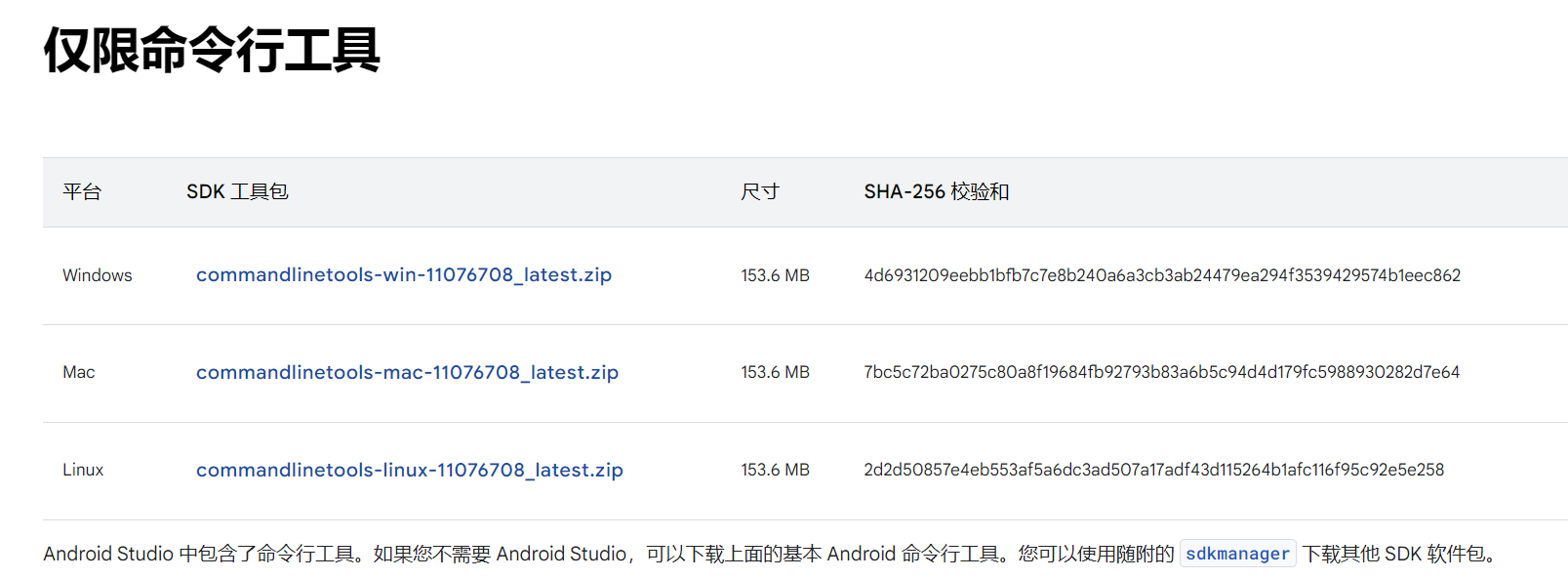
Extract the downloaded ZIP file to the directory where you want to install the SDK.
Move the contents of the
cmdline-toolsfolder to the latest folder. The final structure should be:D:\AndroidSDK\cmdline-tools\latest
Configure related environment.
Install Java. (If you have previously installed and configured Java, you need to check if your JDK is compatible with the command line tools. If the version is compatible, you can skip the following steps about Java environment configuration)
Visit the official website of Oracle JDK and choose the version suitable for Windows to download.
Here, you can useJDK-21.Then run the downloaded installer and follow the prompts to complete the installation. Make sure to note the installation path for future reference.
D:\Java\jdk-21
Set environment variables.
Open the environment variable settings:
Right-click on
This PCorComputerand selectProperties.Click on
Advanced system settings.In the
System Propertieswindow, selectEnvironment Variables.
In the
System variablessection, clickNewto add theJAVA_HOMEvariable, setting its value to the JDK installation path (D:\Java\jdk-21). Also, add theANDROID_HOMEvariable, setting its value to the AndroidSDK installation path (D:\AndroidSDK).Find the
Pathvariable, clickEdit, and then add%JAVA_HOME%\bin,%ANDROID_HOME%\tools,%ANDROID_HOME%\emulator,%ANDROID_HOME%\cmdline-tools\latest\bin,%ANDROID_HOME%\tools\bin,%ANDROID_HOME%\cmdline-tools\latest, and%ANDROID_HOME%\platform-tools.Verify installation
Open the command prompt: press
Win + R, type cmd, and then pressEnter.In the command prompt window, type
java -versionandjavac -version, then press Enter.java -version javac -version sdkmanager --version
If version information is displayed, it indicates that the configuration was successful.
Verify if
sdkmanagerwas successfully installed.sdkmanager --update sdkmanager --list sdkmanager --licenses
Here, you should see information displaying
All SDK package licenses accepted.You can learn more from the common commands of sdkmanager.