Configure HarmonyOS Environment
Tip
Objectives of this Section
1. Make the `hdc` command available
Kea relies on the hdc command to interact with HarmonyOS devices. The key is to add hdc to the PATH environment variable.
2. Connect a physical device or use an emulator
1. Install DevEco Studio
Download and install DevEco Studio: Download DevEco Studio <https://developer.huawei.com/consumer/cn/deveco-studio/>.
2. Install and configure HarmonyOS SDK
Open DevEco Studio, install HarmonyOS SDK: DevEco Studio -> preferences -> OpenHarmony SDK.

Set up the SDK in DevEco Studio
Click edit. Set your SDK path and install the OpenHarmony SDK toolchain. The API version should be 12+ (5.0+).
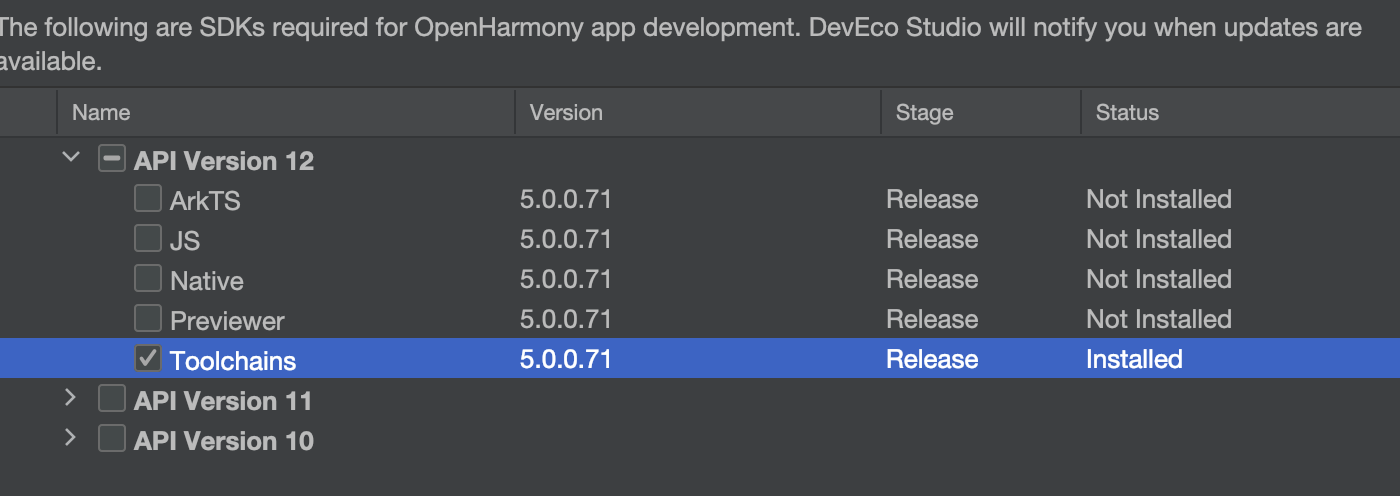
Download toolchains (API 12+)
Add SDK toolchains to the environment variables
MacOS and Linux
# macOS and Linux
export HARMONY_SDK_HOME="<Your path to opensdk home>"
export PATH="$HARMONY_SDK_HOME/12/toolchains"
Modify the shell configuration file to activate the changes.
Windows System
You have installed DevEco Studio on your computer. What you need to do is to add its tool directory to the PATH variable so that the SDK commands are effective in the terminal.
If you are using zsh or bash, use the EXPORT command to set the HARMONY_SDK_HOME environment variable. The HARMONY_SDK_HOME environment variable should point to your SDK installation path. The default path is C:Usersusr_nameAppDataLocalOpenHarmonySdk. You can check your installation path through File -> Settings -> OpenHarmony SDK -> Edit.
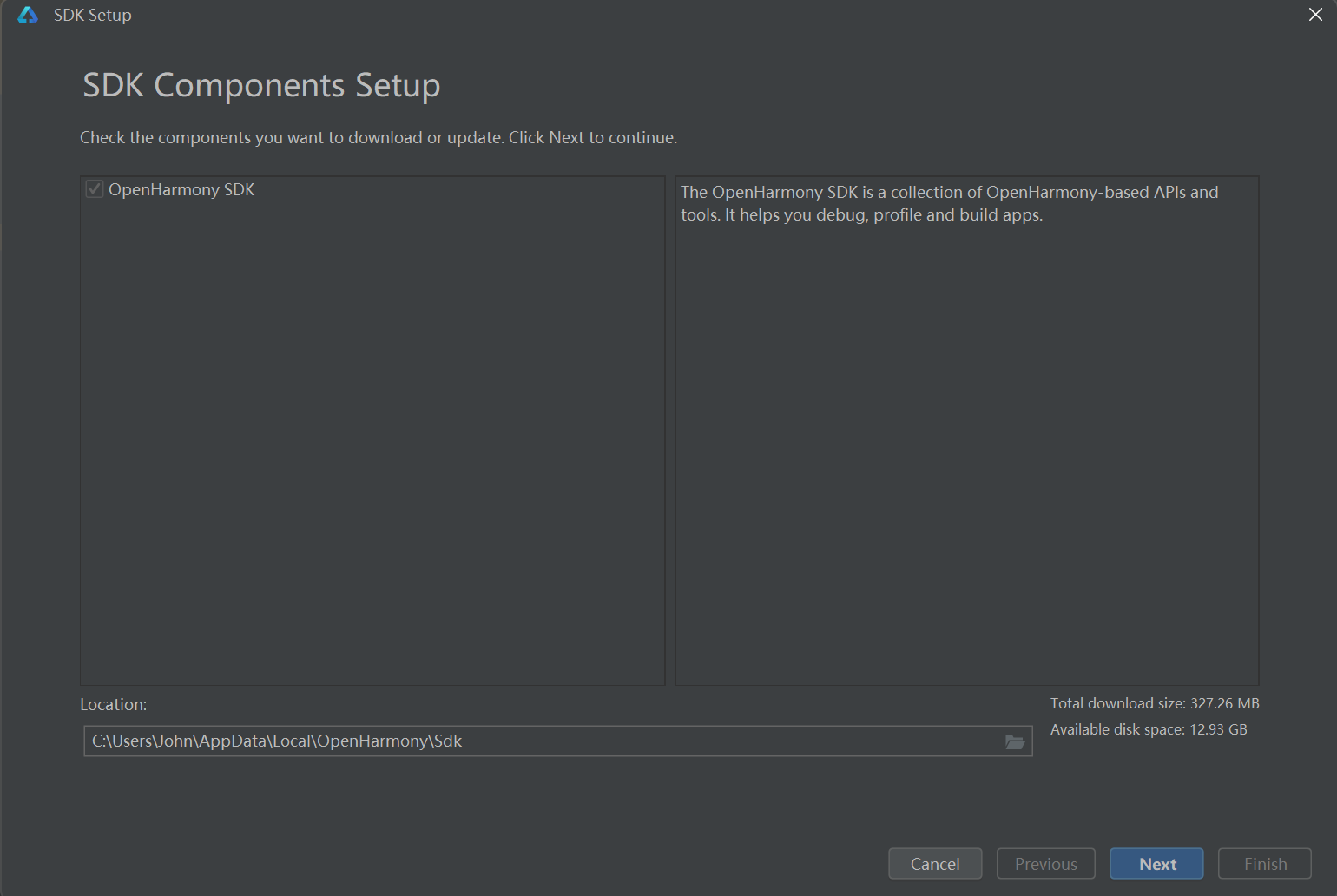
Example of HarmonyOS SDK Path in DevEco Studio
Then, add the following path to the PATH variable. See How to Add a PATH Environment Variable in Windows <https://helpdeskgeek.com/windows-10/add-windows-path-environment-variable/>.
# Windows
HARMONY_SDK_HOME: "<Your path to opensdk home>"
PATH: %HARMONY_SDK_HOME%\12\toolchains
Important
Run hdc in the terminal to check if the command is available.
3. Run an Emulator
Run an emulator according to this guide: Manage and Run Emulators <https://developer.huawei.com/consumer/cn/doc/harmonyos-guides-V13/ide-emulator-management-V13>.
Important
Run hdc list targets in the terminal. You can see the emulator provided in the form of a loopback address socket (127.0.0.1:port).